Showing posts with label Anchor Text. Show all posts

Wednesday, June 18, 2014

Create Most Effective BackLink Part 6

Most Effective BackLink Part 6

If you want to get your Backlinks Indexed fast use Angela Technic.
You should Read First Part : Angela BackLink Technic Part 1.
Read Second Part               : Angela BackLink Technic Part 2.
Read Third Part                    : Angela BackLink Technic Part 3.
Read Fourth Part               : Angela BackLink Technic Part 4.
Read Fifth Part                    : Angela BackLink Technic Part 5

Continue with Angela Technic....


SITE NAME: Drupal Sites                  RANK: 6

1) First go to Site:
 Drupal Sites
2) Click Create new account.


3) Fill up the registration form as a valid user.
4) Now click edit

5) Fill up the form You can write a Signature with your site link.

6) Write your shot bio of your site with anchor text of your site link . Here you can write your web address. At last Save the form.


7) Then click on View. 

8) You can see your web address and anchor text with link.


Thank you And enjoy.

TO BE CONTINUE WITH MORE USEFUL SITE


Tuesday, April 1, 2014

Create Most Effective BackLink Part 5

Most Effective BackLink Part 4

If you want to get your Backlinks Indexed fast use Angela Technic.
You should Read First Part : Angela BackLink Technic Part 1.
Read Second Part               : Angela BackLink Technic Part 2.
Read Third Part                    : Angela BackLink Technic Part 3.
Read Fourth Part               : Angela BackLink Technic Part 4.

Continue with Angela Technic....


SITE NAME: Online marketing platform                  RANK: 6

1) First go to Site:
 Online Marketing Platform
2) Click Sign Up/Join Online Marketing Platform.

3) Fill up the registration form as a valid user.

4) Now click edit.

5) Fill up edit form.


6) Then click you web/blog link.


7) Here you can see your web/blog status and your latest post links and status.


Thank you And enjoy.

TO BE CONTINUE WITH MORE USEFUL SITE


Saturday, March 1, 2014

Create Most Effective BackLink Part 4

Most Effective BackLink Part 4

If you want to get your Backlinks Indexed fast use Angela Technic.
You should Read First Part : Angela BackLink Technic Part 1.
Read Second Part               : Angela BackLink Technic Part 2.
Read Third Part                    : Angela BackLink Technic Part 3.

Continue with Angela Technic....


SITE NAME: FanPOP                      RANK: 6

1) First go to Site:
FANPO
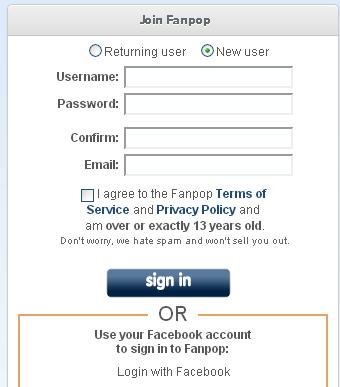
2) Click Join Fanpop.

3) Fill up the registration form as a valid user.

4) Now fill-up your personal information form and submit it.

5) Join any club given bellow.


6) Then click Continue registration>>>
7) Choice your profile image and click Continue registration>>

8) Now Click Checkout your profile page.
9) Click Edit Profile.

10) Set your Web sites address.


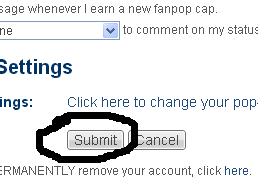
11) Then Submit.

12) Your site link will look like this.


Thank you And enjoy.

TO BE CONTINUE WITH MORE USEFUL SITE


Friday, November 23, 2012

Create Most Effective BackLink Part 3


Most Effective BackLink Part 3

If you want to get your Backlinks Indexed fast use Angela Technic.
You should Read First Part : Angela BackLink Technic Part 1.
Read Second Part               : Angela BackLink Technic Part 2.

Continue with Angela Technic Part 3....


Site Name: Cbcl.mit.edu                      Rank: 6


1) First go to Site:
 cbcl.mit.edu
2) Click register.


3) Fill up the registration form as a valid user.
4) Activate your account from your welcome e-mail.
5) Log in your account.
6) Click user control panel.

7) Click Profile> set your web site. Then click submit.

8) Create a NewTopic post. and use BBCode for your site link. That may look like Signature. 

9) You must need approve by a moderator to see your post. 


Site Name: ReverbNation                      Rank: 6


1) First go to Site:
 ReverbNation .
2) Click Sign up Free.

3) Fill up the registration form as a valid user.
4) Confirm your account from your  e-mail.
5) Log in your account.
6) Click Customize my Profile.

7) Set your site link at New Status.


8) Now click Create.


9) Now set your module name and site link. Browse a image file from your computer.


10) This image links to your site.

11) This image links to your site.
12) You can also create your blog post RSS link to this site.
13) Click Add blog Post.

14) Past URL of your site RSS feed link. Then click Save.


15) Your Blog post may look like this.
16) You can also link your facebook, twitter, my space post link.
Thank you And enjoy.

TO BE CONTINUE WITH MORE USEFUL SITE


Tuesday, November 20, 2012

Most Effective BackLink Part 2

If you want to get your Backlinks Indexed fast use Angela Technic.
You should Read First Part: Angela BackLink Technic.

After First Part Now Start Next.


Site Name: CafeMom                      Rank: 3

1) First go to Site:
 CafeMom


2) Then click Join Now. And fill up the registration form as a valid user.


3) Valid your account from your e-mail address.
4) Sign in now. Click My Other Stuff > My Profile.

5) Click Edit of Personal Statement.

6) Type your Anchor Text With your Site Link
Exp: "<a href="http://treesplanet.blogspot.com">Trees Planet</a>

7) Then Save this. 

 6) Your Anchor Text may show like this with your Site Link


Site Name: Tagged                      Rank: 6
1) First go to Site:

 Tagged
2) Fill up the Join Free registration form as a valid user.

3) Now activate your account entering confirmation code that sent your e-mail address.

4) Sign in your account.
5) Click PROFILE.

6) Click Add a Widget on Left Wall. ( You can also do this in your Right wall)

7) Click Enter Code. 

8) Type Html site link code with Anchor Text. (Here I used My Complain site link.)

9)  Then click Preview and Save.
10) Your link will show like this.

Thank You So much.

Please Read Part 3